AI Document Extraction
To establish our platform as the source of truth for financial spend, organizations needed to extract key information from contract documents. However, the process was historically tedious, error-prone, and time-consuming. We sought to improve this by integrating AI tools from Google and OpenAI to make this data extraction task faster and more accurate.
Team
Core
- Product Designer (me)
- Product Manager
- Director of Engineering
- 3 Software Engineers
Additional Input
- Head of Product
- Head of Data Extraction Team
- Director of Product
- Design Team
Stages
- Gathering Requirements
- UX Research
- Feature Grooming
- Design Iteration
- Final Design
Hypothesis
By supporting customers with AI-powered metadata extraction, they would save more data to contracts, complete contract records more accurately, and create new contract records more efficiently.
Goals
- Position the product as innovative and aligned with market-leading technology by integrating advanced AI capabilities
- Get more data into the product to become stickier
- Ensure high data accuracy and a user-friendly experience to drive adoption
- Leverage internal metadata extraction tool to deliver a customer-facing feature
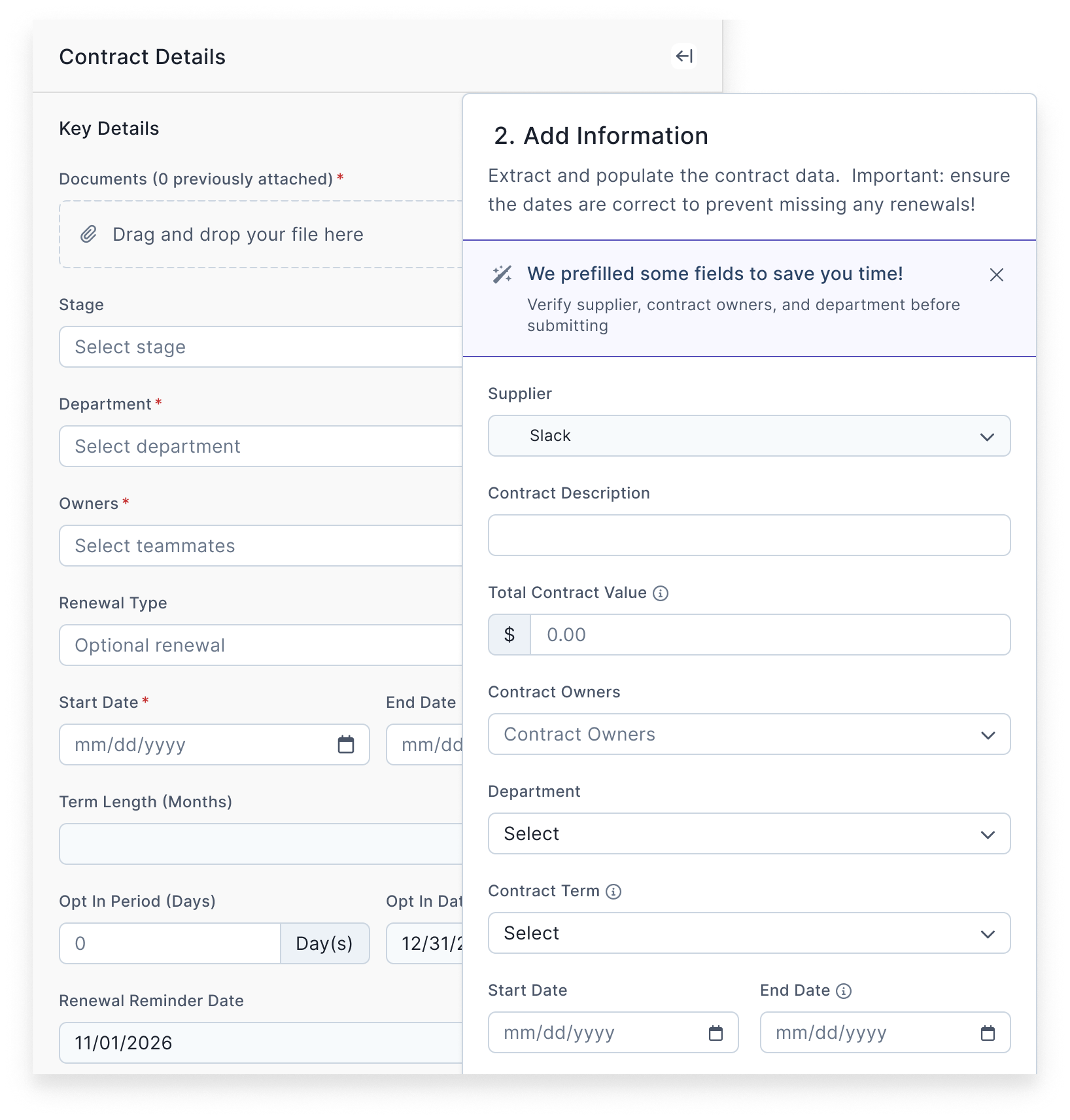
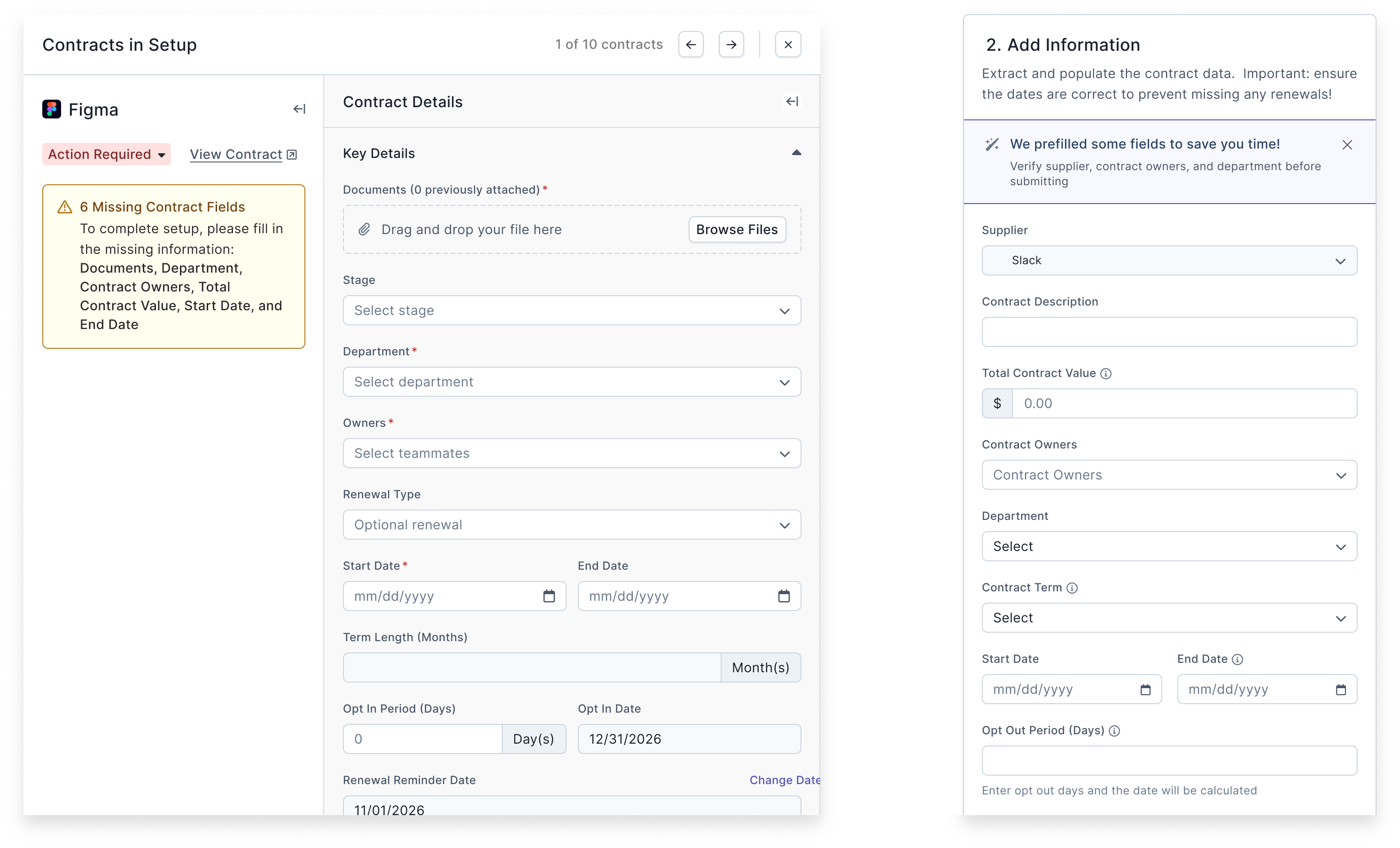
- Redesign the contract form to include user-requested fields, enhancing usability and consistency across workflows
Gathering Requirements
Background
Within our product, organizations create “contract” objects to manage agreements with various vendors. Users attach documents to these contracts and extract metadata such as start dates, end dates, total contract value, payment frequency, and more.
Preceding Feature 1
During onboarding for new customers, a data extraction team creates contract objects, attaches associated documents, and extracts metadata manually.
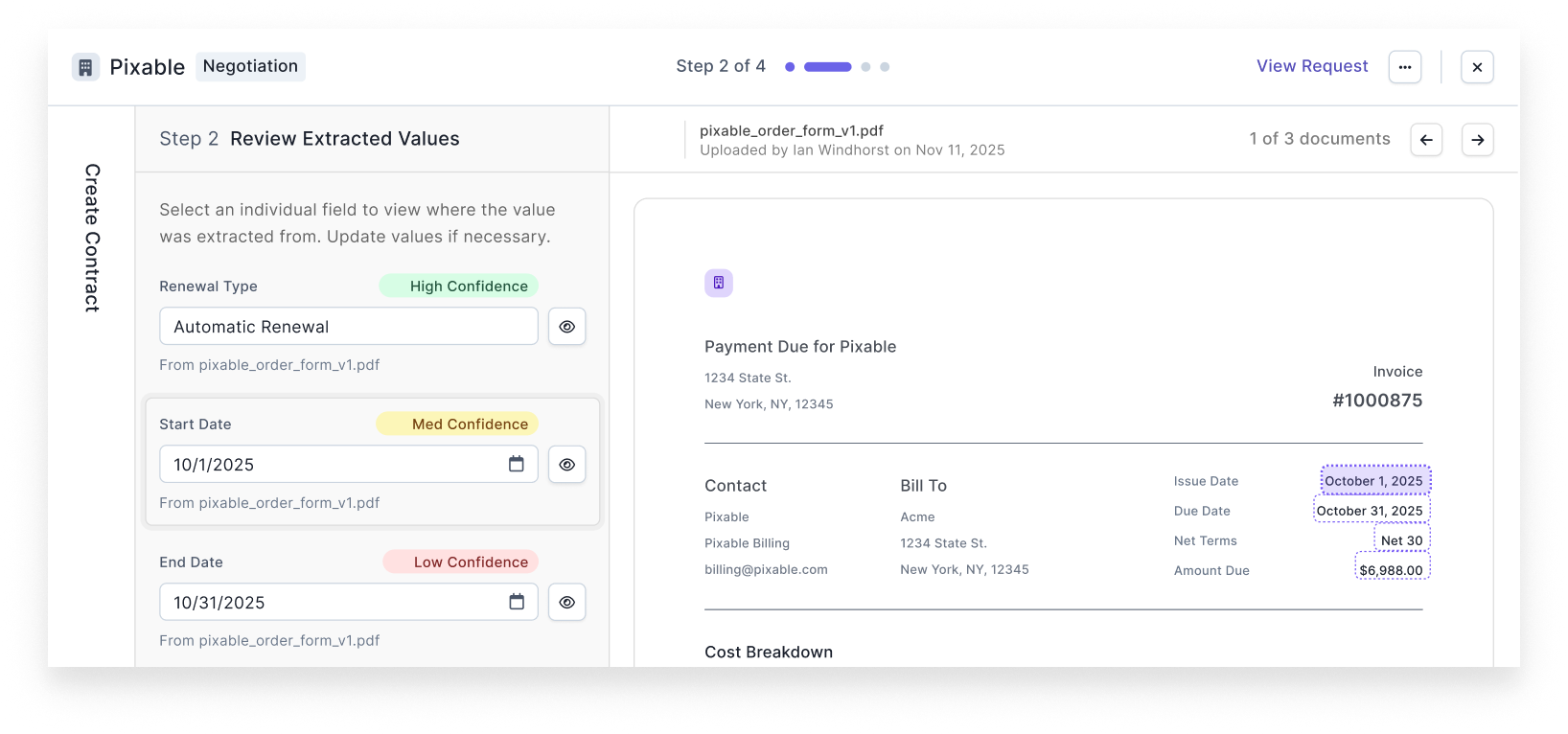
To streamline this process, I led the design for a feature leveraging Google’s DocumentAI and OpenAI. This feature scanned documents, extracted values for ten key fields, and presented the values with low, medium, or high confidence scores which humans then confirmed. We also tracked AI prediction accuracy to improve the model over time. This feature was designed exclusively for internal users, primarily the data extraction team.
Preceding Feature 2
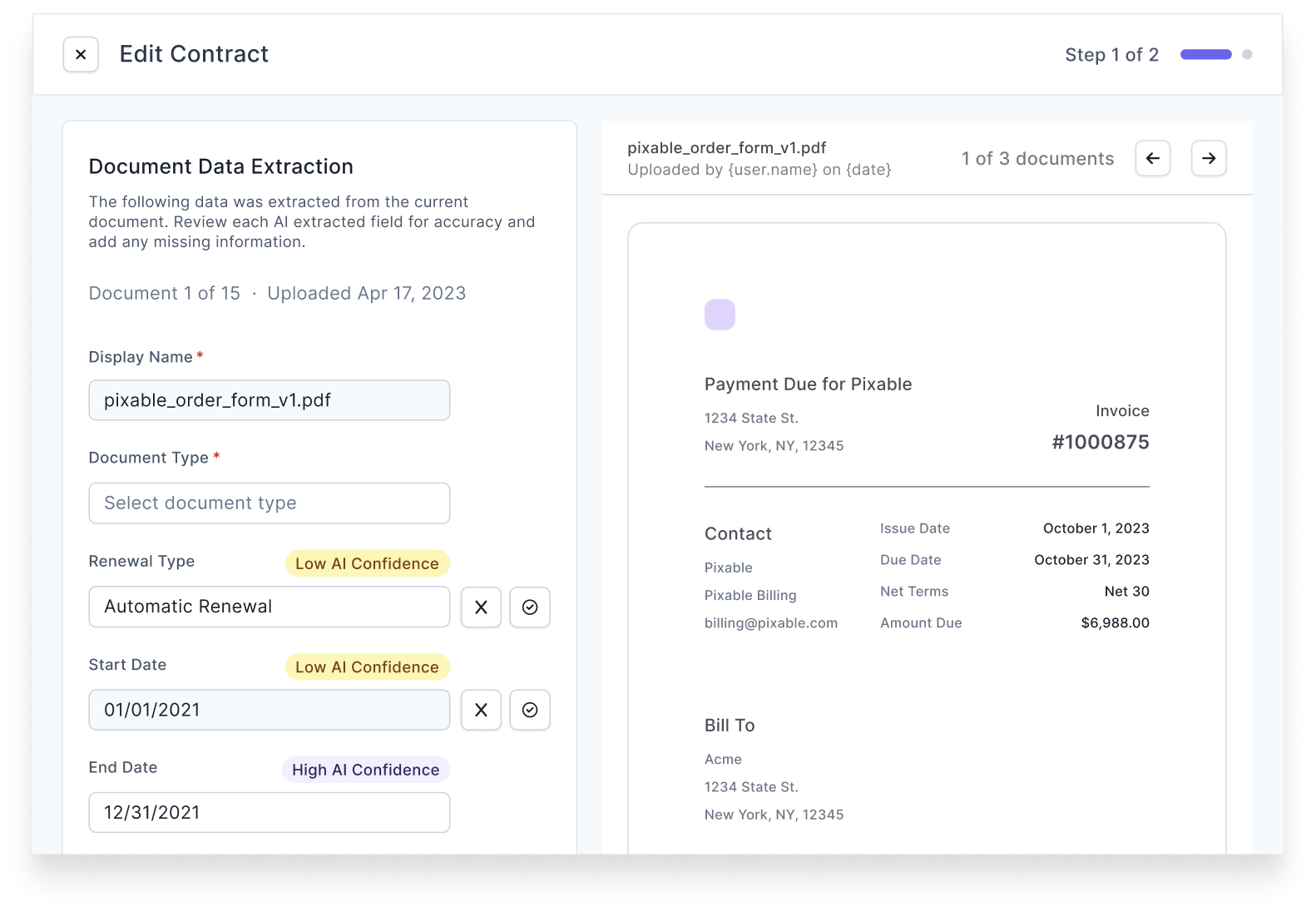
Users could edit contract objects in four areas of our product, but these implementations were inconsistent, with variations in user experience and field availability on each form.
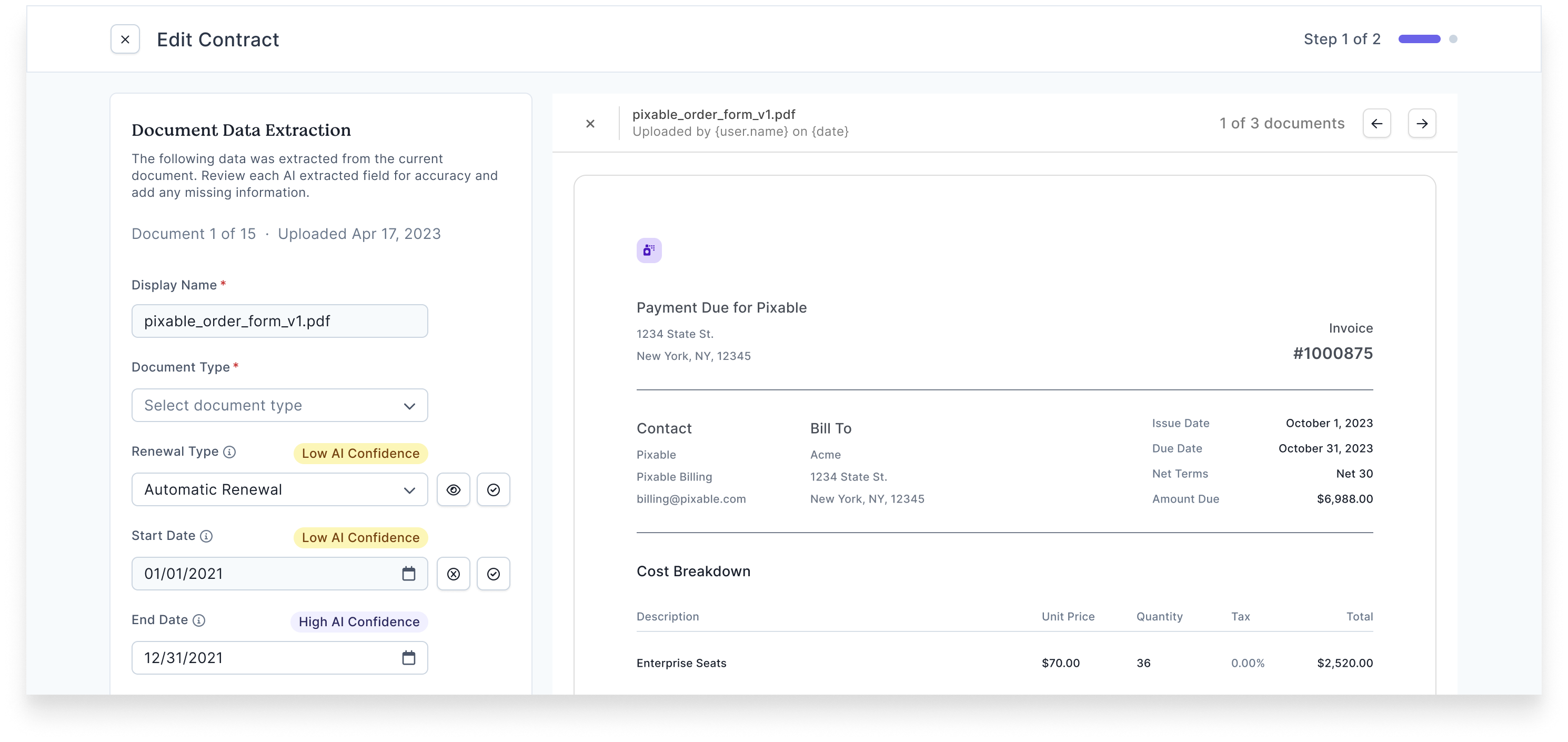
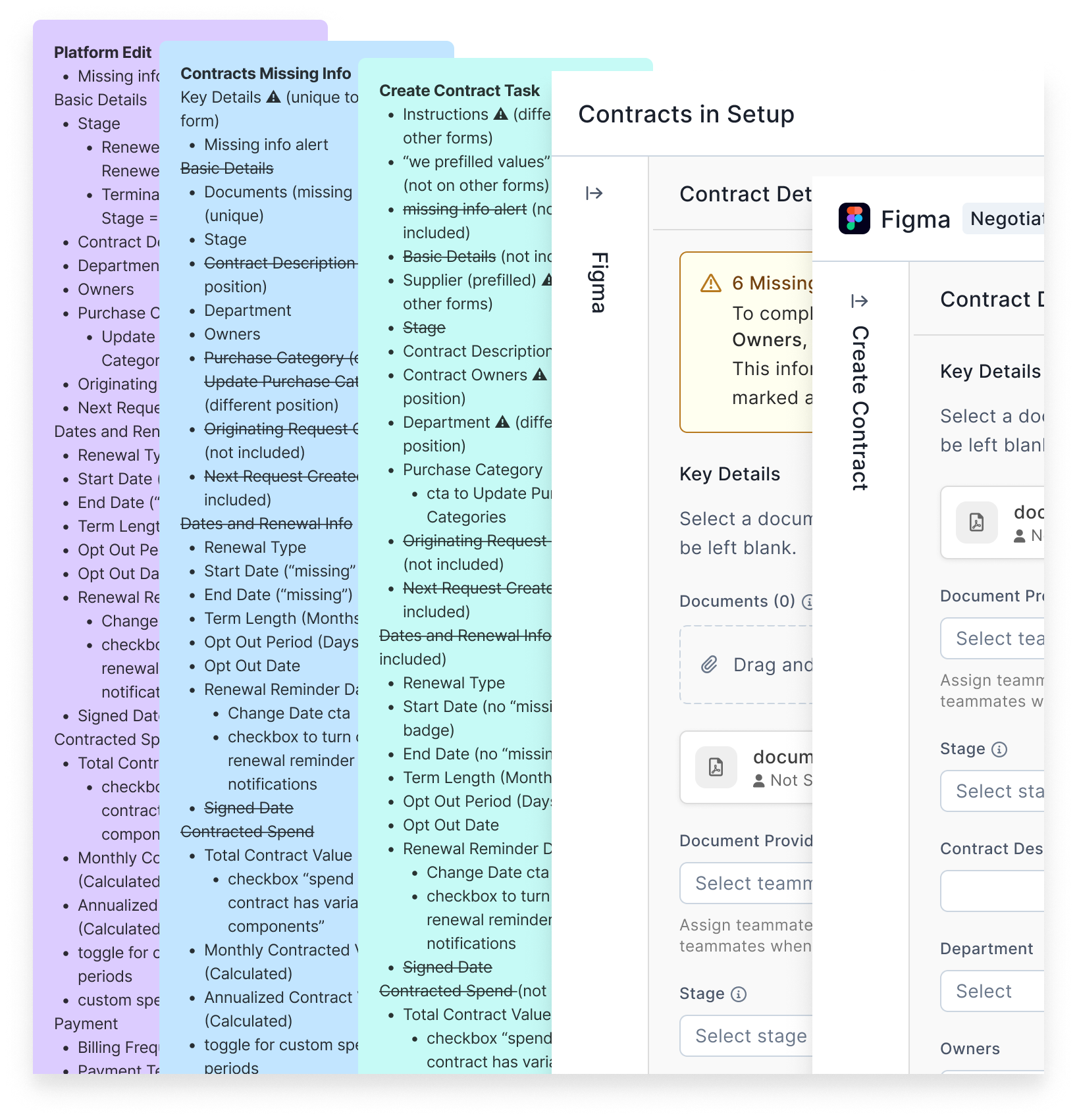
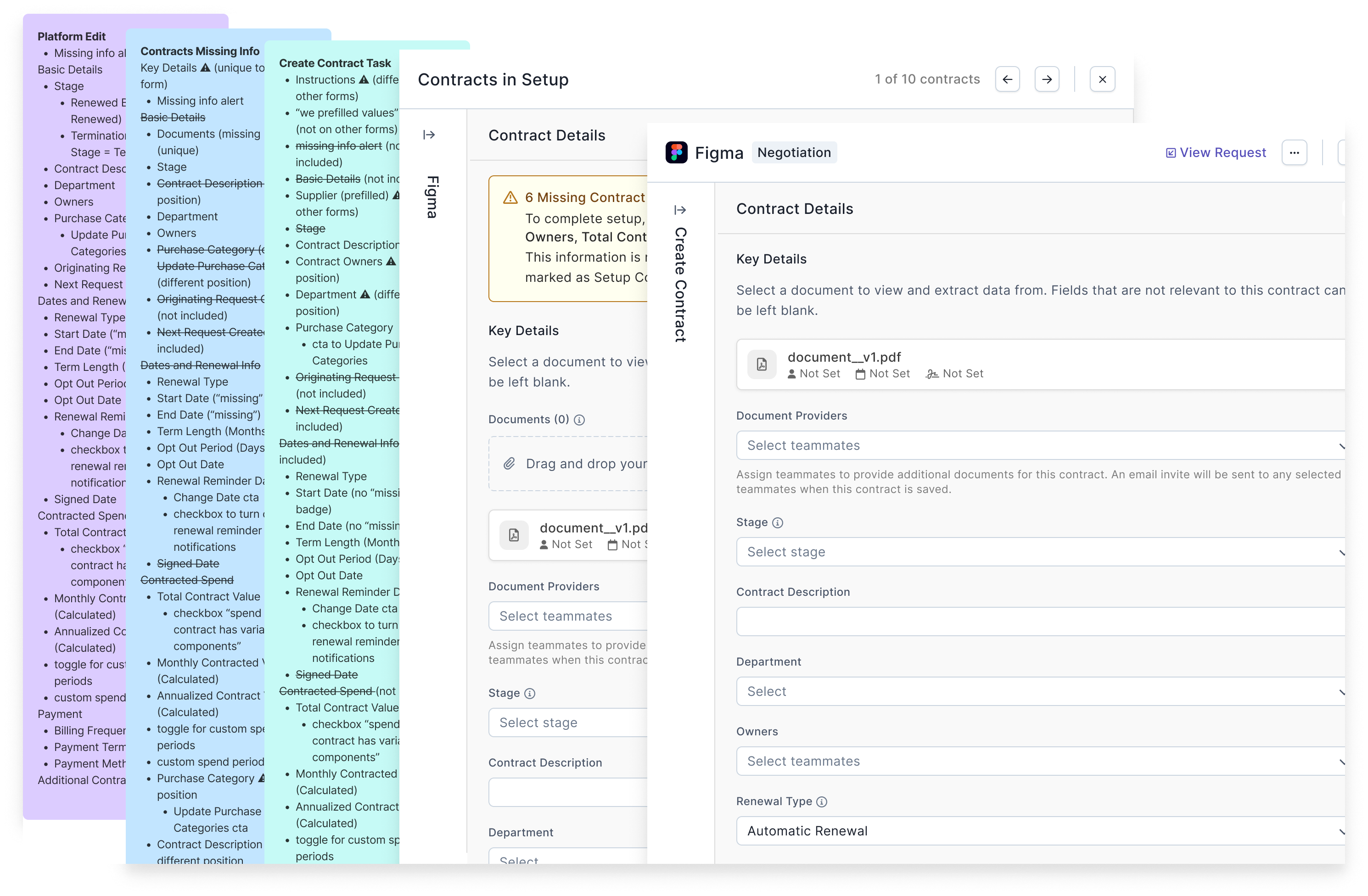
I collaborated with another designer to update two of these implementations, aligning them under a consistent form structure and field set. This update resulted in three customer-facing forms with a cohesive experience, while maintaining necessary differences for the fourth form which was internal-facing.
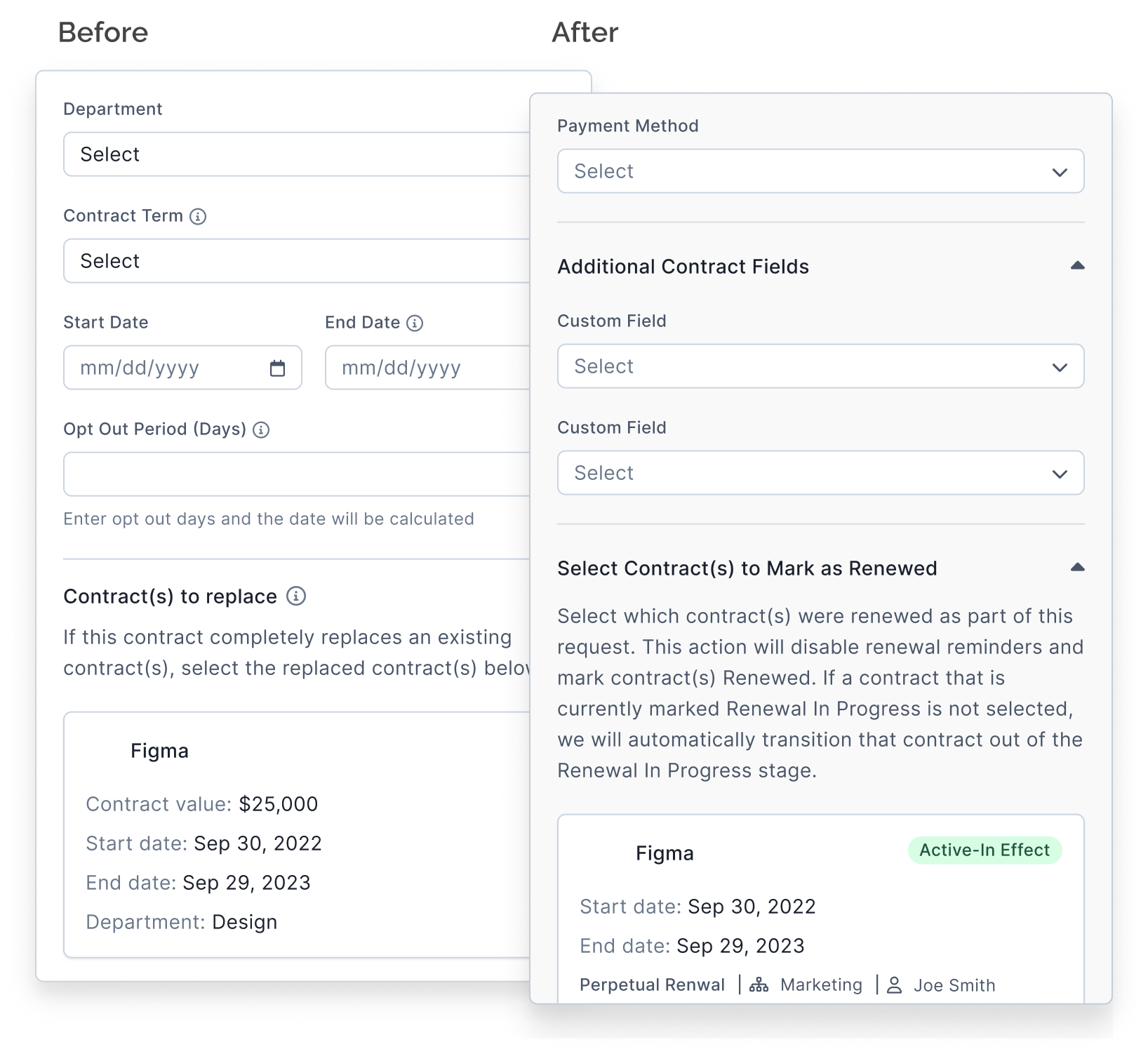
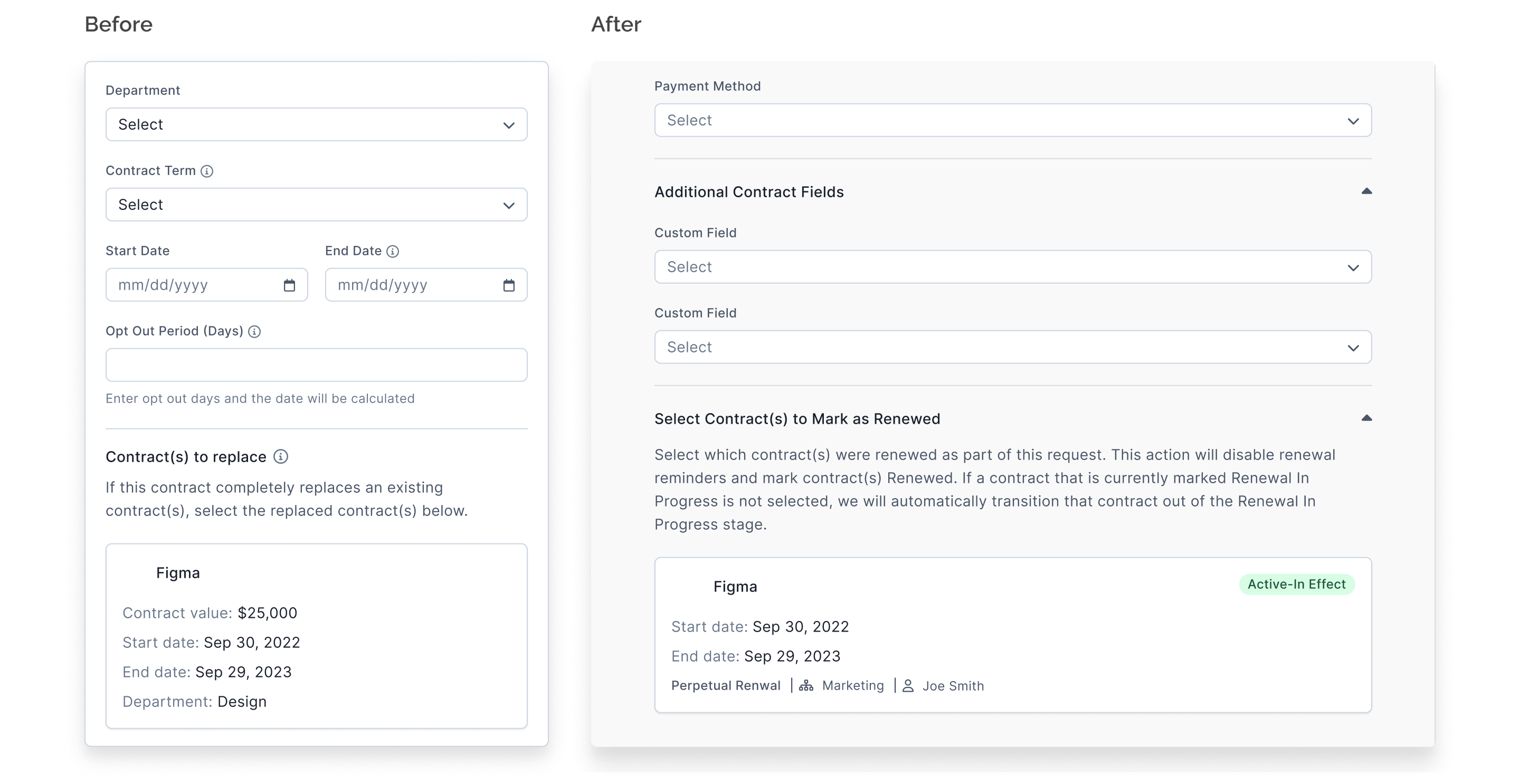
One key improvement was adding custom fields to the implementation for the “Create Contract” task. This addressed customer feedback and improved the consistency of contract editing workflows.
UX Research
Usability Testing
Our initial metadata extraction feature (Preceding Feature 1) was designed for our data extraction team, who processed hundreds of documents daily. As power users, they benefit from a streamlined and efficient UX with minimal guidance. In contrast, our new feature targeted customers, many of whom were unfamiliar with the task of creating a contract in our system. To ensure the new feature met their needs, we conducted usability testing with 10 internal users representing a range of familiarity with the product:
- 2 managers from the data extraction team, experienced with the existing feature after several weeks of use
- 2 internal users from the implementations team, knowledgeable about contract onboarding and related customer workflows
- 6 internal users from various departments, approximately half of whom had never created a contract in our product
Affinity Mapping & Synthesis
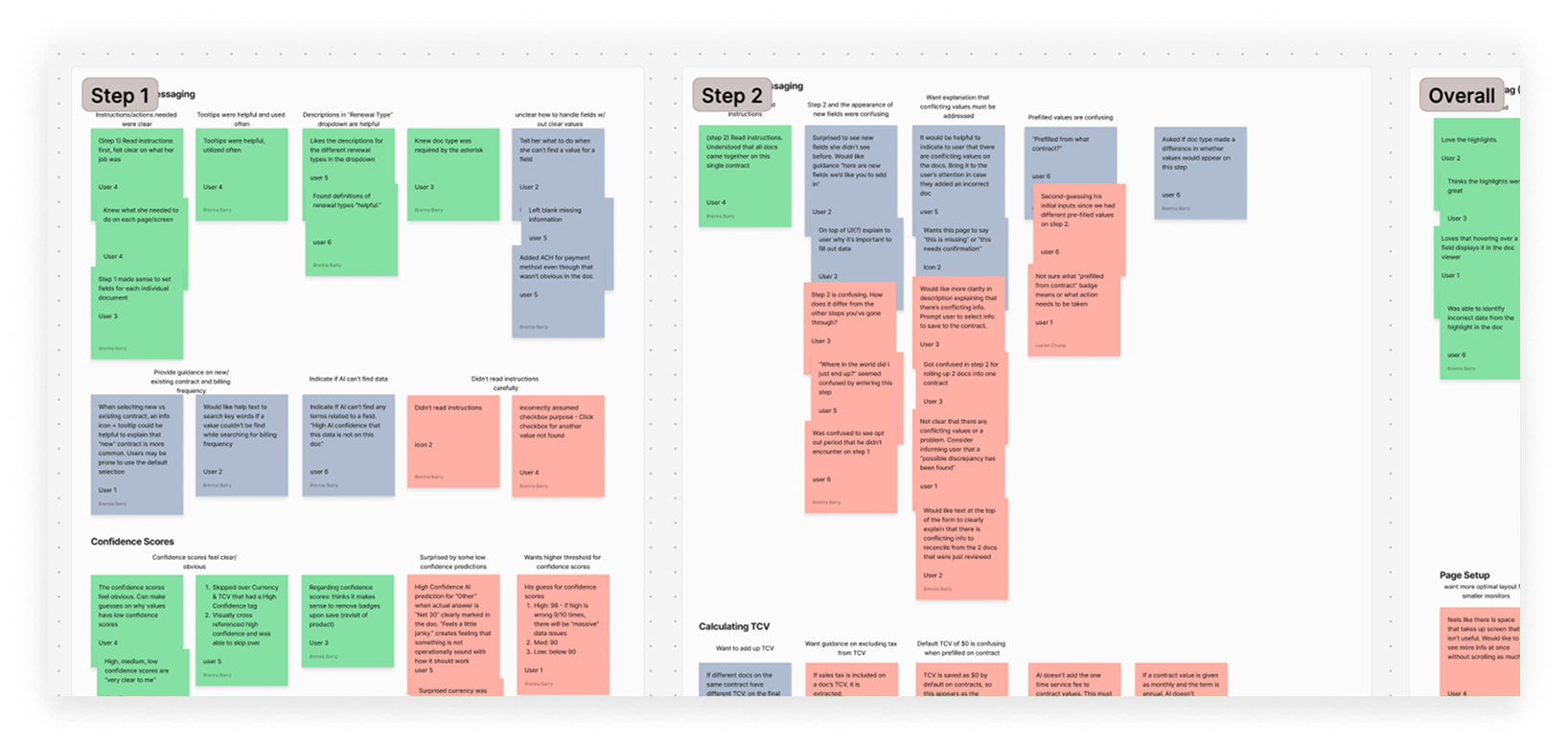
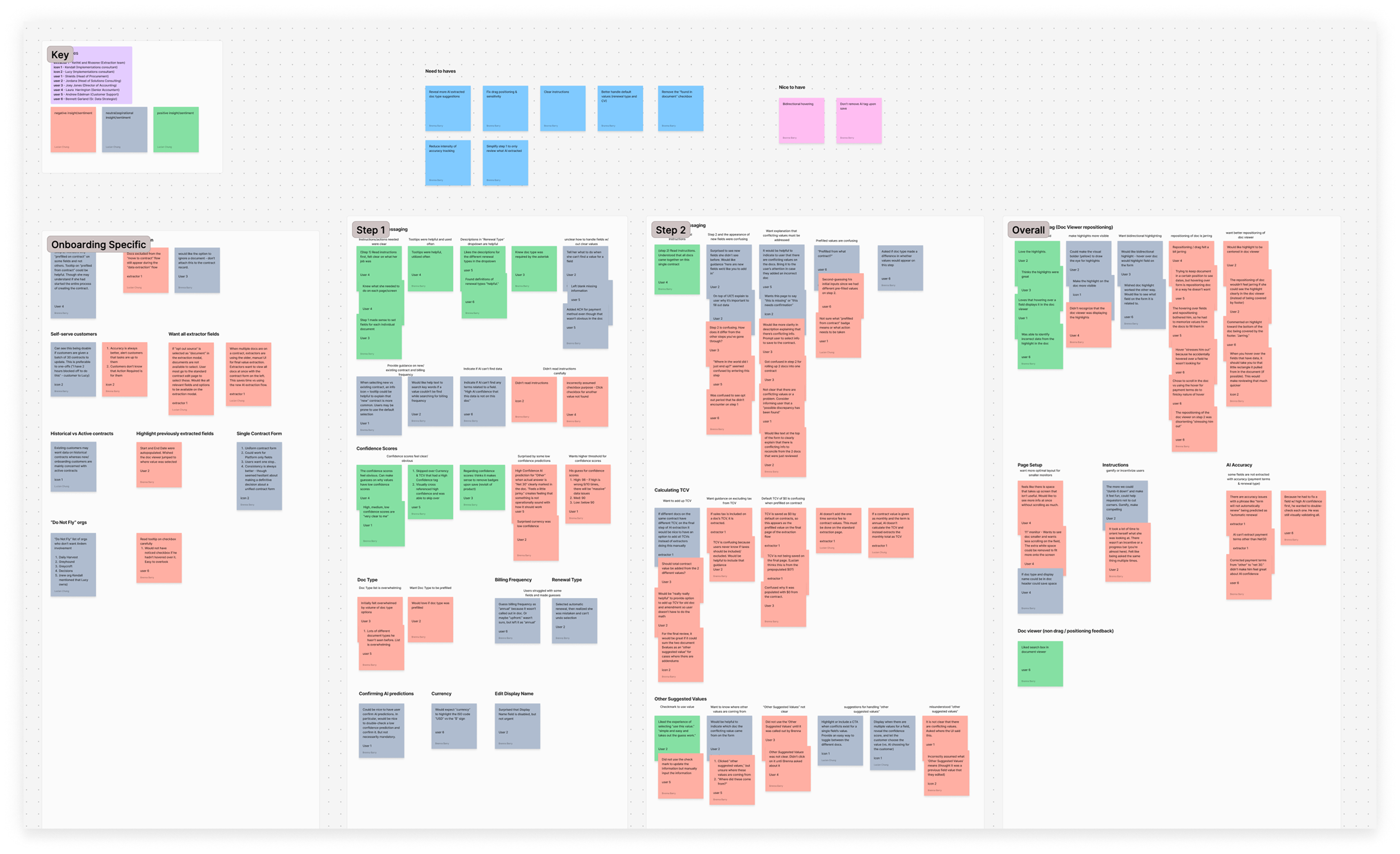
- Users needed clearer instructions and guidance
While the original feature was intentionally designed with fewer steps to accommodate the data extraction team, other users found this lack of guidance challenging. A more structured and guided approach was needed for non-power users.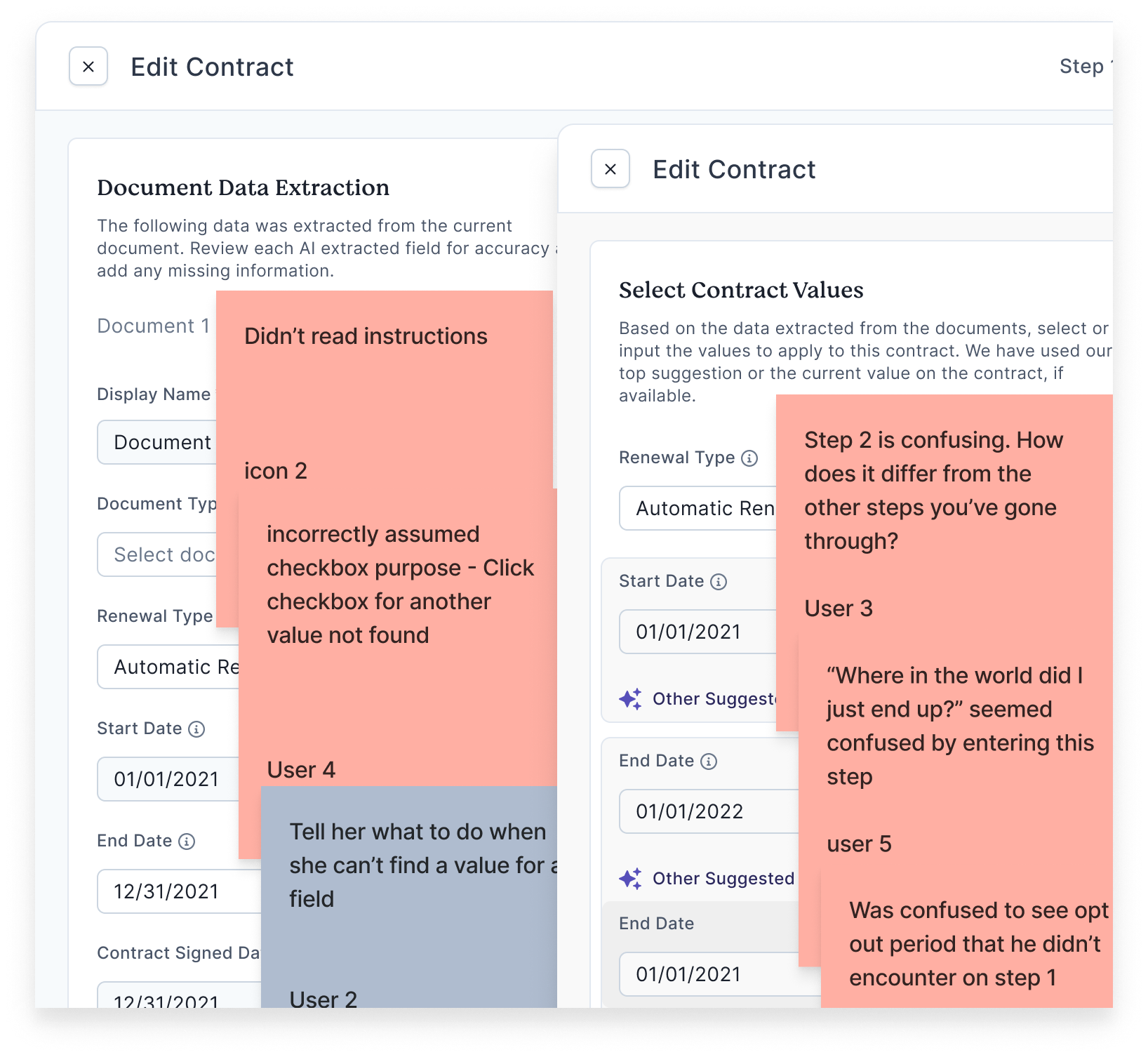
Original instructions and related user feedback - Hover interactions were jarring—especially the shifting documents
Hovering over an AI-extracted field triggered the document display to shift and highlight the relevant value. This interaction was disruptive and confused some users.Hover interaction before change - Confidence scores for AI extractions were intuitive and valuable
Users appreciated the clarity of the low, medium, and high confidence ratings. Highlighting extracted values in the document added further trust and usability to the feature.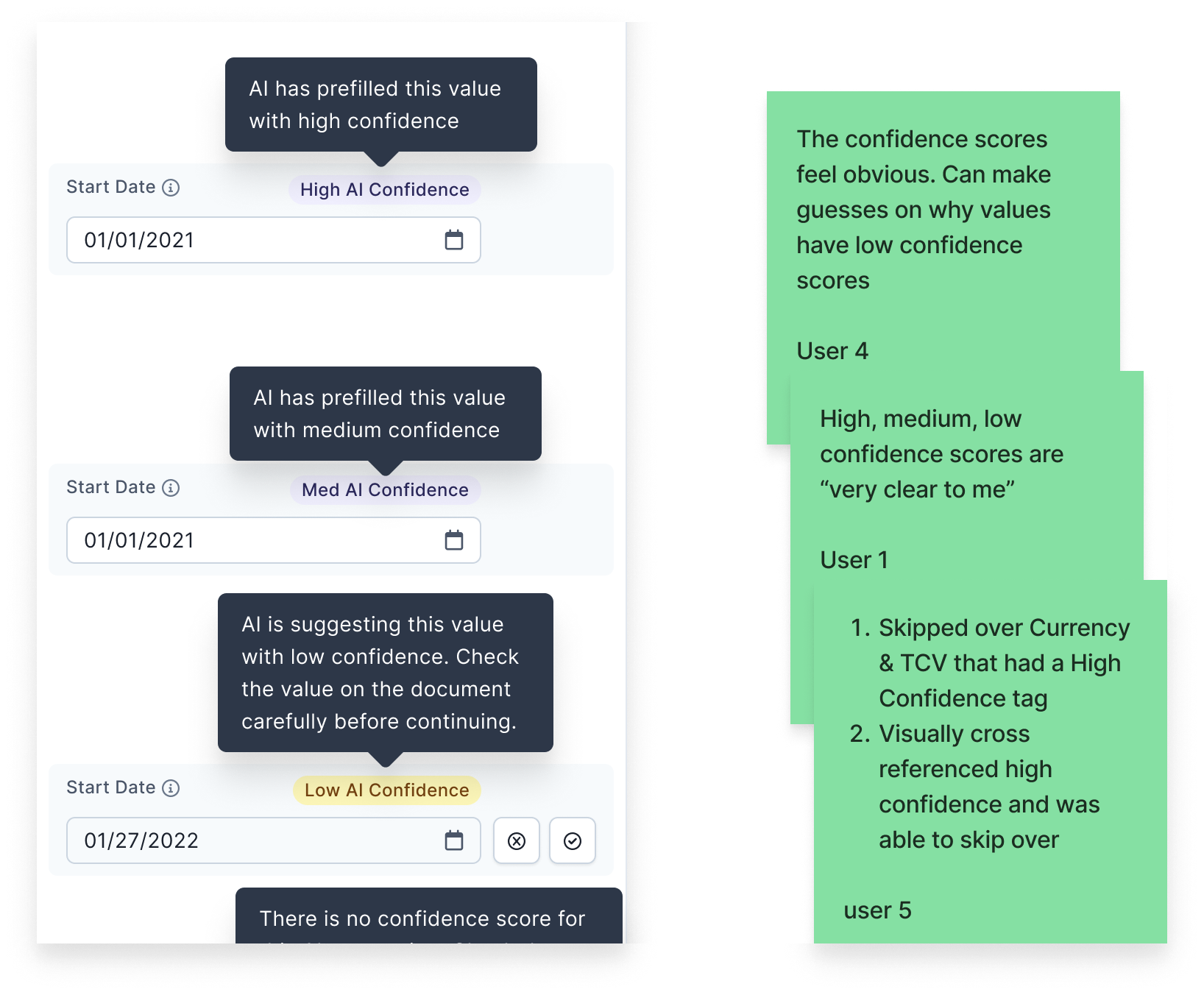
Original AI confidence badges and user feedback
Design Iteration
Universal Contract Form
Another pod was updating the UI for the “create contract” task that we were working on, so I partnered with that pod’s designer to implement changes that would support both of our projects’ goals. This is referenced above as Preceding Feature 2 where I ended up contributing to the redesign of two of our product’s four contract forms, resulting in three consistent forms for customers and one intentionally different form for internal users.
More Guided Experience
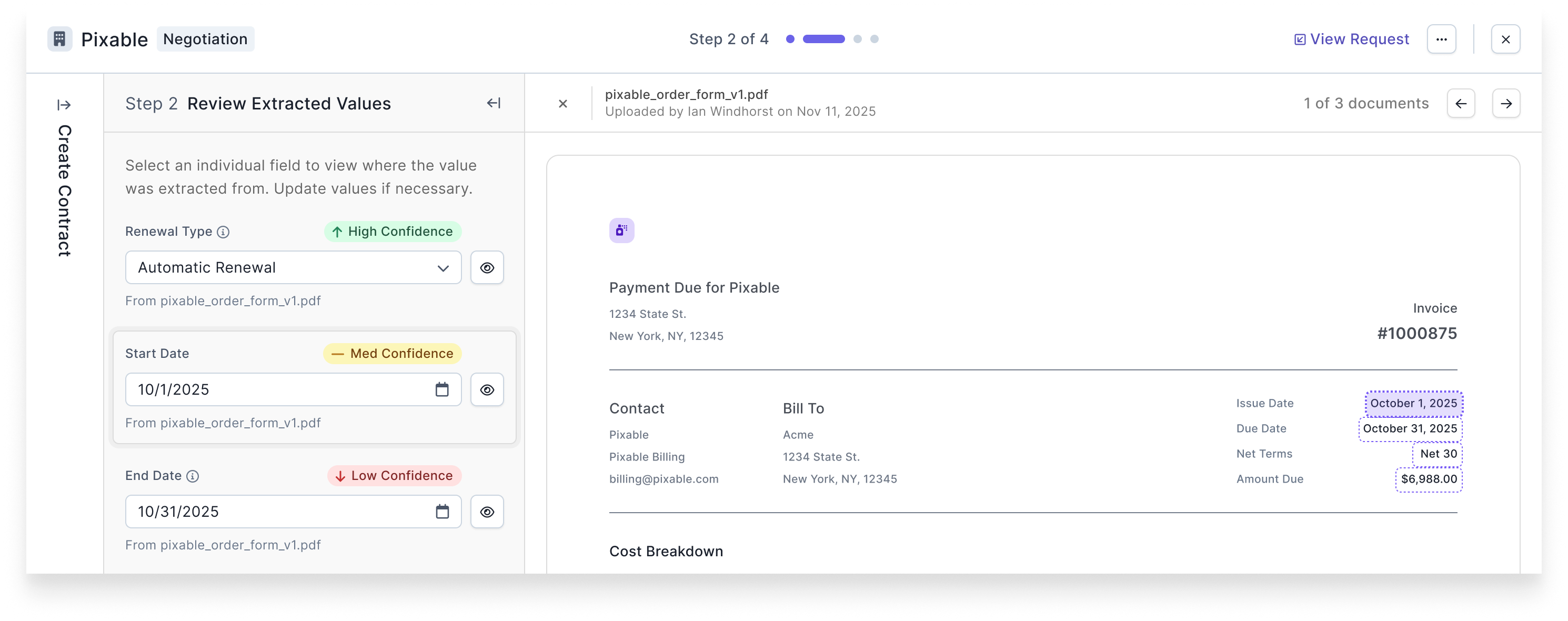
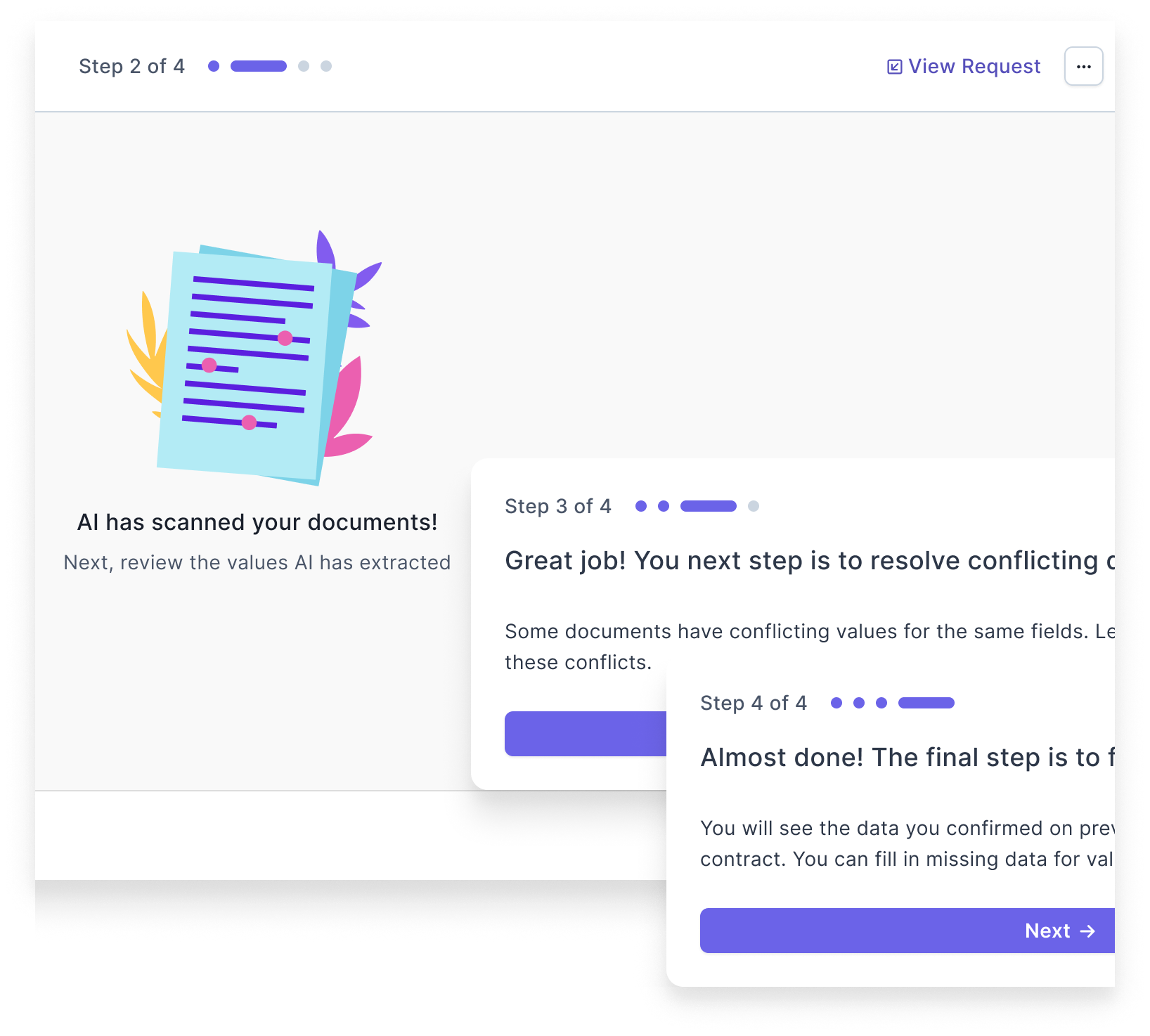
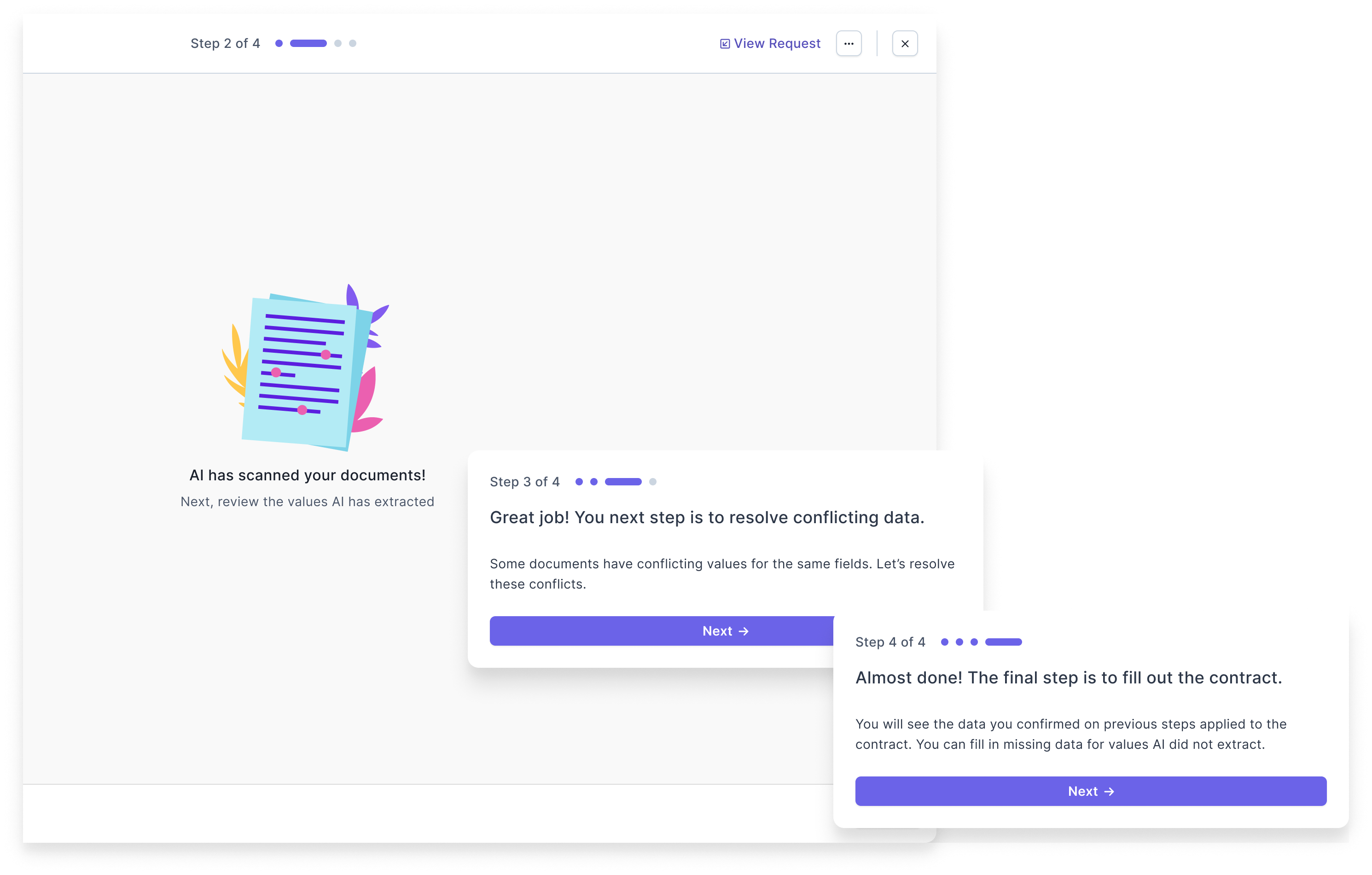
Based on our key takeaway from usability testing that users wanted a more guided experience, I designed a stepped experience with interstitials between each step to focus the users’ attention and explain what they had done in the previous step and what they would do in the next one.
I worked with the PM and Claude.ai to craft copy that prioritized the following items in the order listed:
- clarity
- conciseness
- professionalism
- casual or light tone
We updated the copy for badges, tooltips, instructional text at the top of each step, and the interstitials between each step.
Comparative Analysis
When designing Preceding Feature 1 for our internal users, I looked at different data extraction products. I revisited these references to look for additional inspiration I could apply to our new feature. Most of the other products used a click/select interaction instead of a hover to highlight values in documents. I intentionally designed the hover interaction hoping to speed up our data extraction team previously, but felt confident switching this to a click/select for our customers as other apps tended to use this interaction.
Updates to Existing Experience
After working with the build pod to finalize our new feature, I mocked up designs where our component updates would be applied to our existing internally-facing feature that used the same components. Our agreed upon approach from grooming was that we would focus on the desired updates for our new feature, and we would implement whatever updates propagated to our existing feature “for free.” However, I was concerned with some of our component updates fitting poorly into the existing UI that was not optimized for them.
In particular, we had built a form field component that could be populated by an AI-extracted value. We would either suggest this value or autofill with this value depending on both the field itself and the AI’s confidence in its prediction. In the original implementation, users could hover over this field to display the document from which it was extracted and highlight the value on the document. We were updating the style of the AI confidence badges to match other implementations in our product, and we were changing the hover interaction to a click interaction based on our usability testing. In addition, with the goal of continuing to train our AI models, we required data extractors to confirm some low confidence predictions and to select a checkbox when AI extracted no value even though a value existed on the document. We did not want to present customers with these additional tasks to train our AI models because they cluttered the UI and increased cognitive load.
I mocked up different versions of how we could update the existing feature based on level of effort required, and the build pod came to an agreement on doing some additional CSS work to update the existing UI.
Final Design
Improvements
Here are some visuals of the final feature with some comparisons to the preceding feature.
With custom fields vs without
More clarity in instructions
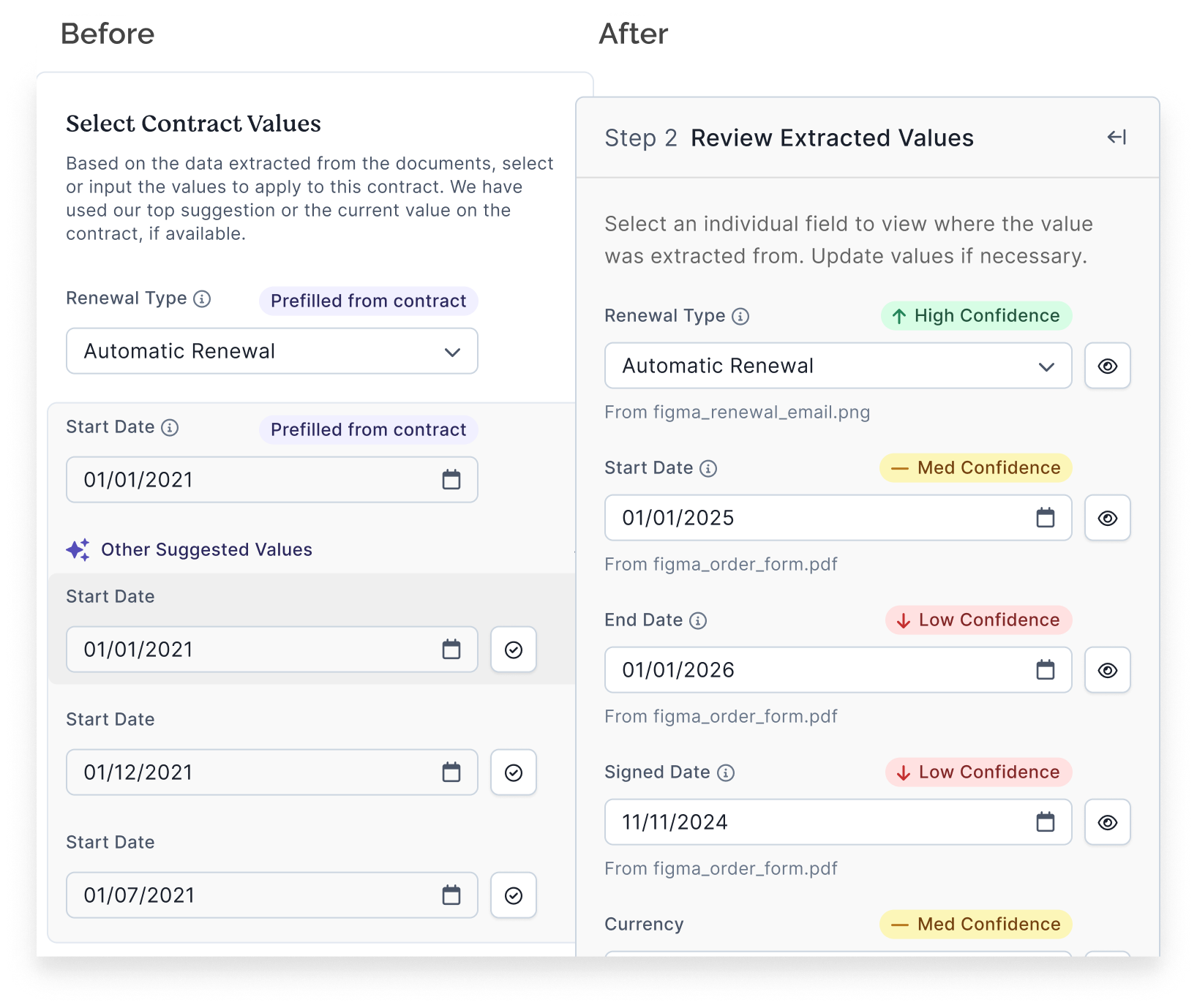
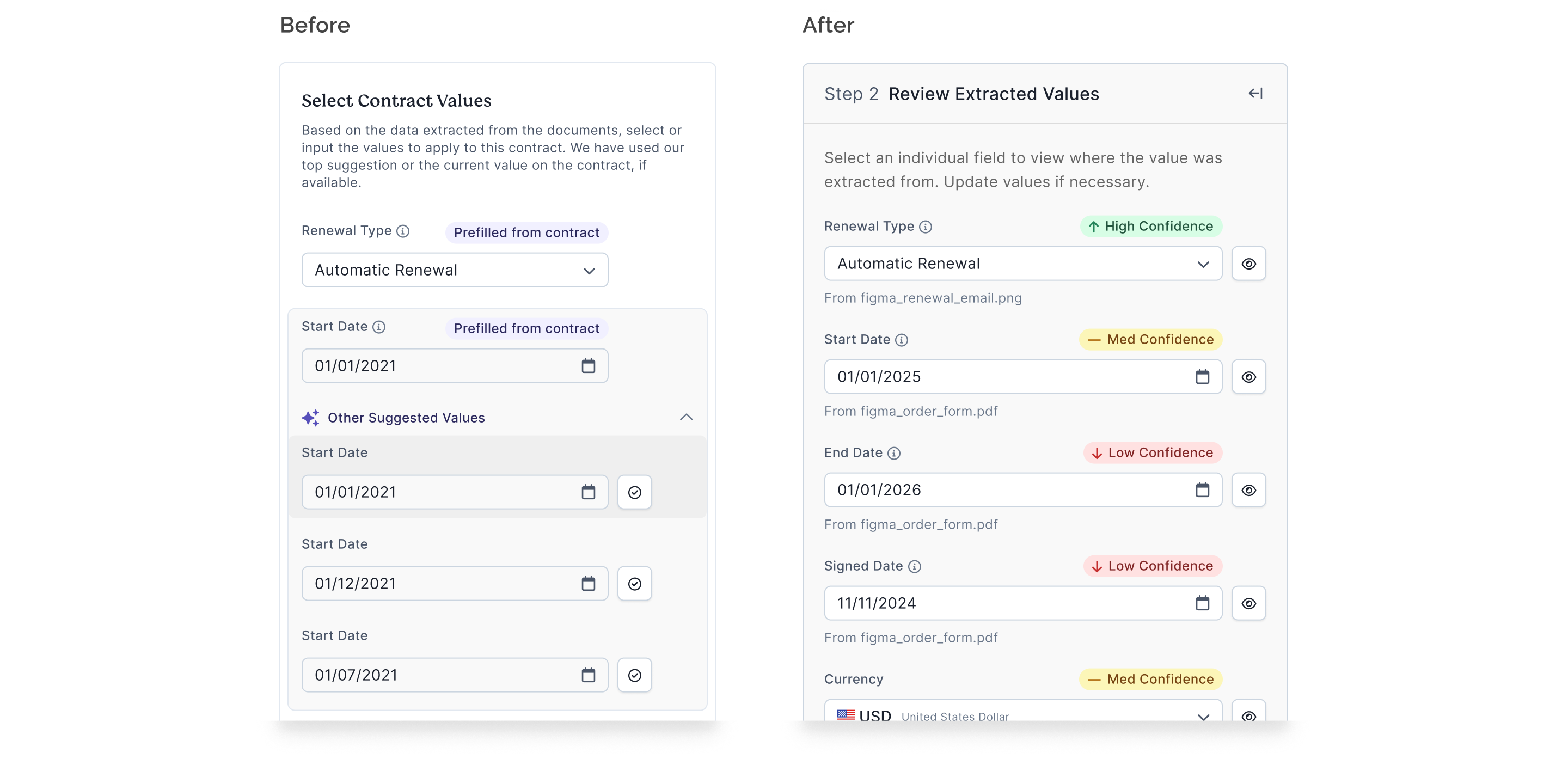
Click vs hover interaction
Before
After
Updated badges and tooltips
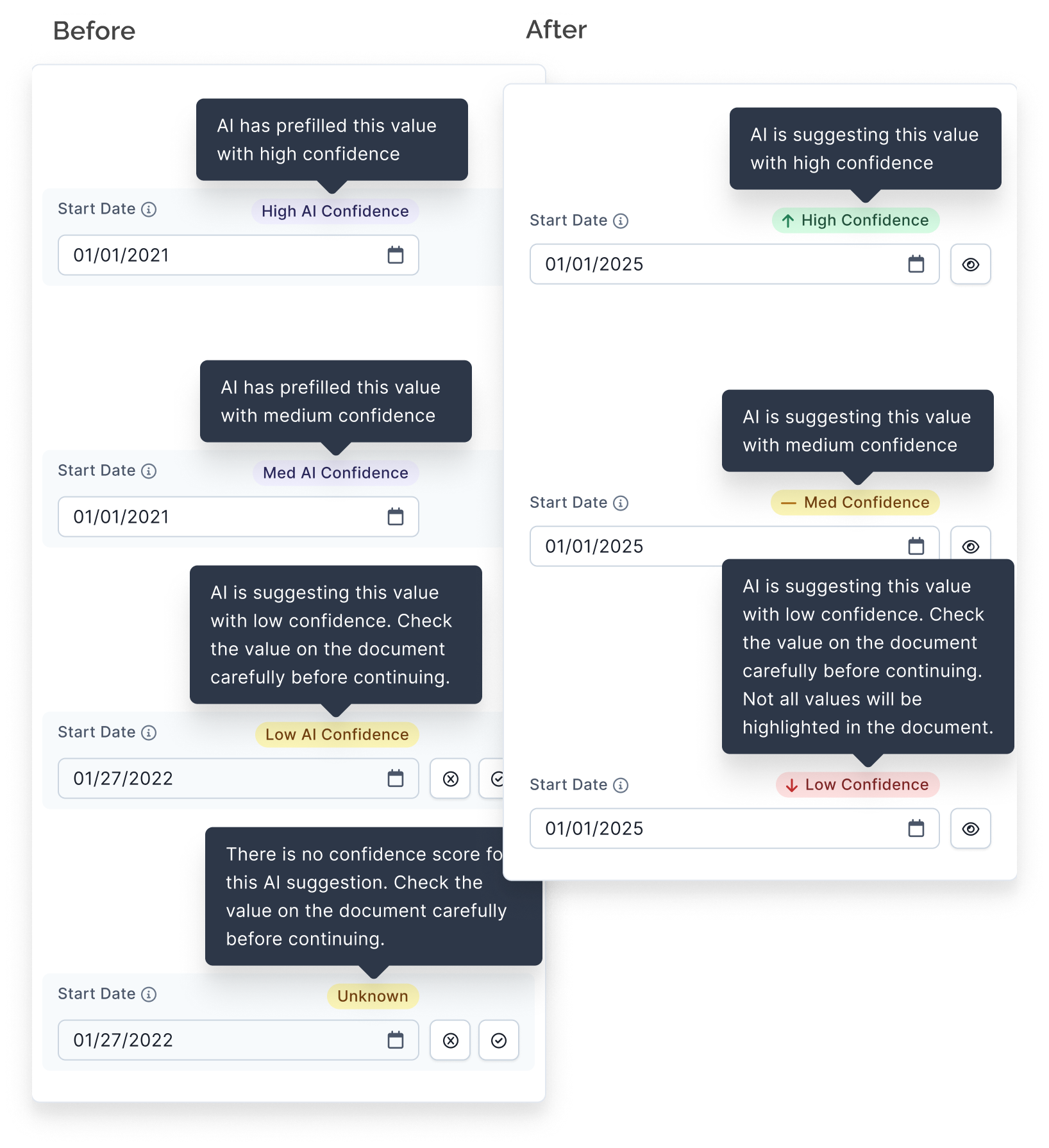
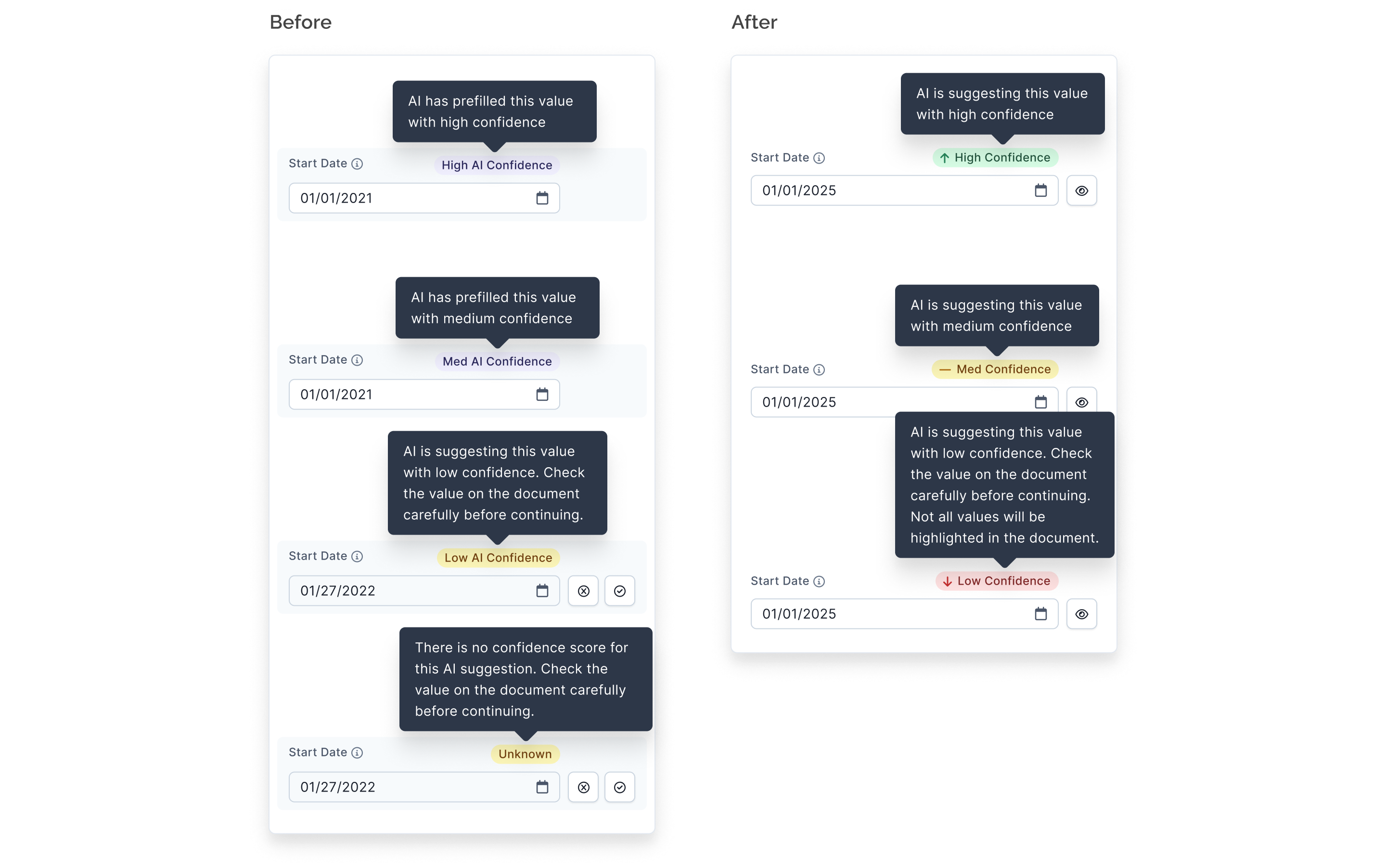
Made tooltip copy consistent.
Impact
Results
- 85% of the time AI successfully extracted document data with no human intervention needed
- The median wait time for AI to scan was 36 seconds across 3,954 documents
- > 45K contracts extracted in 2024 (+39.5% from 2023)
- Average 3.9K contracts extracted a month
- Unsolicited feedback from a larger customer:
- A new customer listed “AI + human contract extraction” as one of the 3 reasons for signing with us
“...I ABSOLUTELY LOVED the Contract Record AI update I experienced today!! I could enter the Class [a custom field] directly from the Task and loved that I didn’t have to re-enter the Start/End and Signed dates!”
It is our hope and expectation that the existence of this AI-powered feature will positively impact our product’s brand image and that we will see positive changes in the metrics mentioned above. Our most satisfied customers with the highest renewal rate have a lot of data/contracts in our system, so this feature helps the business in that regard. Lastly, it is worth noting that while we are interested in adoption and success metrics for our users, our primary goal with this feature was to contribute to a suite of AI-powered features to raise an additional round of funding for our startup.